

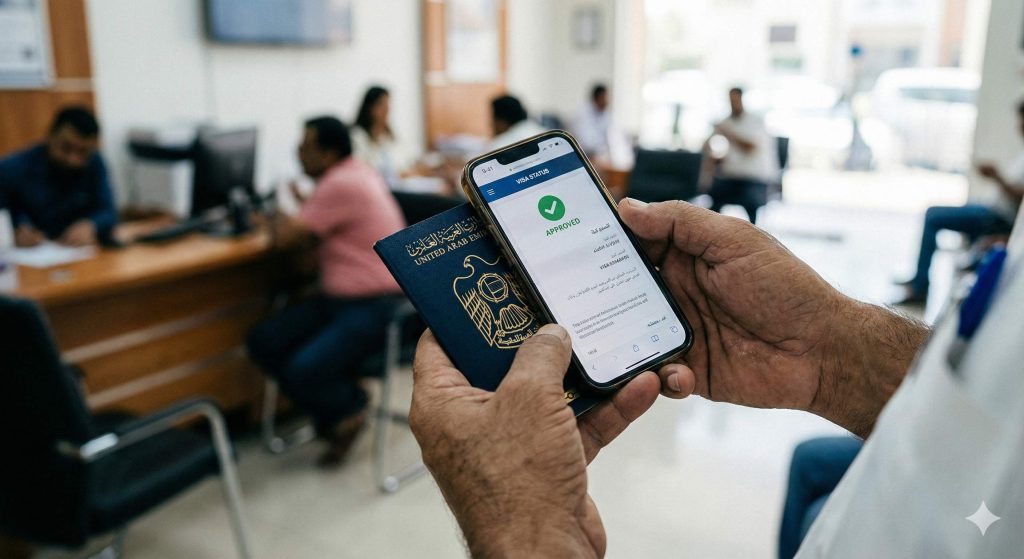
Complete guide to tracking entry permits, residence visas, and Emirates ID applications across all UAE emirates using official government portals.
Discovering a missing approval or expired visa at the airport or during a job change creates immediate problems that proper tracking would have prevented. The UAE provides structured online tools to verify visa application status and visa validity, but these services are split between two main authorities—a distinction that frequently confuses visitors, residents, and sponsors attempting to locate their records.
This article explains how to check UAE visa status online for every emirate, covering ICP (Federal Authority for Identity, Citizenship, Customs and Port Security) services for Abu Dhabi and the northern emirates, GDRFA Dubai (General Directorate of Residency and Foreigners Affairs) services for Dubai-issued visas, mobile applications including ICP UAE Smart and DubaiNow, Emirates ID status verification, common issues causing “no record found” errors, and consequences of failing to monitor visa validity including overstay fines starting at AED 50 per day.
Understanding Which Authority Handles Your Visa
The UAE’s visa tracking infrastructure operates through two parallel systems that do not share data. Attempting to check a Dubai-issued visa through ICP, or an Abu Dhabi visa through GDRFA Dubai, returns no results regardless of data accuracy. Identifying the correct authority before searching eliminates the most common cause of failed status checks.
Applications processed through Abu Dhabi, Sharjah, Ajman, Umm Al Quwain, Ras Al Khaimah, and Fujairah fall under ICP jurisdiction. The ICP smart services platform handles both application tracking and visa validity verification for these emirates, including free zone visas issued under their respective authorities such as SAIF Zone (Sharjah), RAKEZ (Ras Al Khaimah), and twofour54 (Abu Dhabi). For Dubai-issued entry permits and residence visas—including mainland Dubai, JAFZA, DMCC, DIFC, Dubai Internet City, and other Dubai free zones—status enquiries route through GDRFA Dubai online services.
The emirate named on your entry permit or the location where your sponsor submitted the application determines which system to use. If your employer is registered in Dubai and submitted through an Amer center, use GDRFA Dubai. If your sponsor operates from Sharjah or Abu Dhabi, use ICP. When uncertain, check the issuing authority printed on any existing visa documentation or confirmation receipt. The first three digits of a UAE Unified Number can also indicate the issuing emirate.
Information Required Before Checking Status
Both ICP and GDRFA Dubai systems validate records against specific identifiers that must match the original submission exactly. Having correct reference numbers ready prevents repeated failed attempts. The required details differ between application tracking and visa validity checks, and between authorities.
| Purpose | Authority | Information Required |
|---|---|---|
| Track visa application (Abu Dhabi, Sharjah, Ajman, UAQ, RAK, Fujairah) | ICP Smart Services | Application number (from submission receipt) |
| Check visa validity (non-Dubai) | ICP File Validity | Passport number, nationality, expiry date; or File/Unified Number |
| Track Dubai visa application | GDRFA Dubai Application Status Tracker | Email used in application + Emirates ID (if applicable) + Application reference number |
| Check Dubai visa validity | GDRFA Dubai Visa Status | Passport number, nationality, date of birth; or File Number |
| Emirates ID status (nationwide) | ICP ID Card Status | PRAN (Application Number) or Emirates ID number |
For GDRFA Dubai’s Application Status Tracker, the system validates all three identifiers together—email, Emirates ID, and reference number. Even minor discrepancies in any field prevent retrieval. If a PRO or sponsor submitted on your behalf, they may have used a company email rather than your personal address. The Emirates ID field should contain the number exactly as formatted on your card, including any hyphens.
Application numbers and reference numbers are different identifiers. The application number is assigned when processing begins; the reference number appears on your submission receipt from the typing center or Amer service. Some status checks require one, some require both. Keep all documentation from submission until your visa process completes.
Checking Visa Status for Abu Dhabi and Northern Emirates (ICP)
For visas issued in Abu Dhabi, Sharjah, Ajman, Umm Al Quwain, Ras Al Khaimah, and Fujairah, application tracking and validity verification operate through ICP’s smart services platform at smartservices.icp.gov.ae or through the main website at icp.gov.ae.
Step-by-Step Application Tracking via ICP
Navigate to the ICP smart services portal and select the application tracking or application status service, available to guest users without requiring a registered account. Enter the application number exactly as issued on your submission receipt—including all digits and any prefix characters. Complete the CAPTCHA verification and click submit. The system displays current status using these designations:
- Submitted/Received: Application logged in system, awaiting initial review
- Under Process: Active review by immigration officers; security checks ongoing
- Approved: Visa granted; proceed to next steps (medical, Emirates ID registration, visa stamping)
- Rejected: Application denied; reason typically displayed or available via call center
- Returned: Additional documents or corrections required before processing continues
- On Hold: Pending clarification or additional security verification
Employment visa applications typically show movement within 3-7 business days. Visit visa applications for nationalities eligible for expedited processing may update within 24-48 hours. Golden Visa applications often take 2-4 weeks due to additional verification requirements. If status remains “Under Process” beyond 10 business days with no movement, contact ICP at 600 522 222 for clarification rather than assuming rejection.
Using the ICP Mobile App (UAEICP)
Download the UAEICP app from Google Play or App Store and log in via UAE Pass. From the home screen, navigate to Services → Visa & Residency → Application Status. Enter your application number exactly as shown on your receipt. The system displays identical information to the web portal, including status history showing when each stage was reached.
The app sends push notifications when status changes, eliminating the need for manual checking. Enable notifications in your phone settings to receive alerts for approvals, rejections, or document requests. You can also access File Validity (visa expiry checking), travel history (entry/exit records), and Emirates ID status through the same interface. The app supports Arabic and English, with offline access to previously retrieved information.
ICP Contact Center
When online checks return unclear results, call ICP’s toll-free contact center at 600 522 222. Prepare your application number, passport details (number, nationality, expiry), and Emirates ID number if already issued. Staff access the same backend systems and can verify status, explain rejection reasons, advise on remediation steps, and confirm expected timelines. The helpline operates extended hours including weekends for urgent enquiries.
Tracking Dubai Visa Applications via GDRFA Dubai
For Dubai-issued visas, all status enquiries route through GDRFA Dubai at gdrfad.gov.ae, regardless of whether applications were submitted online, through an employer’s PRO, or via an Amer center. GDRFA Dubai systems handle mainland visas, free zone visas processed through Dubai authorities, family sponsorship applications, and investor visas.
GDRFA Dubai Application Status Tracker
Access the Application Status Tracker through gdrfad.gov.ae under online services or navigate directly to the status tracking page. The tracker requires three mandatory fields working in combination: the email address registered during submission, the Emirates ID number used in the application (where applicable), and the application reference number from your submission confirmation.
Enter all identifiers exactly as recorded during submission. Select “Application” as the search type, complete security verification, and click Search. Results display as:
- Under Processing: Application being reviewed by GDRFA officers
- Approved: Entry permit or residence visa granted; PDF available for download
- Rejected: Application denied; reason code displayed (hover or click for explanation)
- Additional Documents Required: Submission incomplete; upload missing items through the portal
- Payment Pending: Application complete but fees not yet received or processed
- Medical Required: Visa approved pending medical fitness test completion
For applications showing “Approved,” the entry permit PDF becomes available for download through the same portal or via the email registered during application. Print this permit before travel—airlines require it for boarding verification, and immigration officers verify it upon arrival. Entry permits typically remain valid for 60 days from issuance, within which you must enter the UAE.
DubaiNow App for Visa Tracking
Download DubaiNow from App Store or Google Play and create an account via UAE Pass authentication. From the home dashboard, navigate to Services → Government → GDRFA → Visa Status Inquiry. Enter your passport number, select nationality from the dropdown, and provide your date of birth. The app retrieves current status and validity dates directly from GDRFA systems.
DubaiNow stores recent queries locally, allowing review during temporary connectivity issues—useful at airports or in areas with poor signal. The app sends push notifications for status changes on tracked applications. For residents managing multiple visas (personal and dependants), the integrated dashboard provides a single location to monitor all GDRFA-related matters including residence validity, fines, and establishment card status for business owners.
Amer Center Support
The Amer helpline operates at 800 5111 within the UAE and +971 4 313 9999 internationally, available 24/7 for urgent enquiries. Staff can confirm status, explain holds or rejection reasons, and guide resolution steps. Have your application reference number, passport information, and Emirates ID ready for verification.
For complex cases requiring document review or in-person verification, visit any of the 80+ Amer centers across Dubai during operating hours. Centers in Deira, Karama, Al Barsha, Al Qusais, and Business Bay offer extended hours, with some maintaining 24/7 availability. The GDRFA headquarters in Al Jafiliya (adjacent to Al Jafiliya Metro Station) handles escalations requiring senior review, Golden Visa verification appointments, and cases involving overstay clearance exceeding 30 days.
Checking Visa Validity After Approval
Application tracking confirms approval, but validity verification serves a different purpose—confirming official issuance and expiry dates of already-issued visas. This matters for travel planning (many countries require 3-6 months remaining validity), renewal timing, and avoiding overstay penalties that begin immediately upon expiry for visit visas.
ICP File Validity Service
For non-Dubai emirates, access File Validity through smartservices.icp.gov.ae. Select the service and choose your identifier type—passport information or File/Unified Number. For passport-based enquiries, enter passport number exactly as printed, select nationality, and provide passport expiry date. The system displays issuance date, expiry date, file status (Active, Cancelled, Expired), and the sponsoring entity name.
This information should match your visa copy exactly—discrepancies require immediate clarification with ICP as they may indicate data entry errors during processing or unauthorized changes to your file.
GDRFA Dubai Visa Status Service
For Dubai visas, access the Visa Status service on gdrfad.gov.ae under the services menu. Enter passport number, select nationality, provide date of birth and gender. Alternatively, search using your File Number (UID) if known. Results display visa type, issuance date, expiry date, and current status.
Anyone planning travel, residence visa renewal, or employer change should verify validity through this service before booking flights or initiating applications. Entry to Schengen countries, the UK, and many other destinations requires minimum 3-6 months visa validity beyond your planned stay. GDRFA also provides a Schengen Citizens Visa Calculator specifically for tracking remaining permitted days for Schengen nationals under the 90/180 day rule.
Smart Gates Registration
GDRFA Dubai provides a Smart Gate Service Registration Inquiry to confirm eligibility for automated e-gates at Dubai airports. Registered users pass through immigration in under 15 seconds without queueing at manual counters. Check registration status before travel—if not registered, visit any GDRFA service center or complete registration at airport kiosks upon arrival.
Emirates ID Status Verification
Emirates ID and visa status operate as separate records despite being linked through the residency process. ICP manages Emirates ID issuance nationwide through a dedicated service distinct from visa tracking. Delays in one process do not automatically affect the other—your visa may be approved while Emirates ID remains under processing, or vice versa. Track both independently.
ICP ID Card Status Service
Access the service at icp.gov.ae/en/services/priority-services/id-card-status or through the smart services portal. Enter your PRAN (Personal Registration Application Number) for new applications, or your Emirates ID number for renewal or replacement applications. The PRAN appears on your printed registration form received after biometric enrollment; 2023-format forms include a QR code linking directly to status tracking and appointment management.
Status displays as one of these stages:
- Under Review: Application submitted, documents being verified
- Approved: Biometrics verified, card production authorized
- Printing in Progress: Physical card being manufactured
- Dispatched: Card sent via Emirates Post to registered address
- Ready for Collection: Available at designated Customer Happiness Center
- Delivered: Confirmed receipt at delivery address
While your physical card is being produced, use the digital Emirates ID available through the UAEICP app or UAE Pass app. The digital ID generates a QR code valid for most transactions requiring ID verification, including bank visits, government services, and mobile phone purchases. It can also be added to Apple Wallet for convenient access.
Consequences of Not Monitoring Visa Status
Failing to track visa validity creates significant financial and legal consequences. Understanding these penalties reinforces why regular status checks matter—problems caught early are far easier to resolve than those discovered at airport immigration.
Overstay Fines
Tourist and visit visas carry no grace period—overstay fines of AED 50 per day begin immediately upon expiry. A two-week overstay incurs AED 700 in fines alone, plus processing fees to regularize status. Residence visas cancelled by employers include a 30-day grace period to find new sponsorship or exit the UAE. Certain visa categories (Golden Visa holders, for example) receive extended grace periods up to 6 months under federal rules.
Overstays under 30 days can typically be cleared at the airport before departure. Overstays exceeding 30 days require advance clearance at GDRFA headquarters (Al Jafiliya for Dubai) or an authorized Amer center before attempting to exit. Attempting departure with significant uncleared fines results in detention at the airport until payment is arranged.
Travel Restrictions and Entry Bans
Unresolved overstay fines trigger immigration holds preventing departure until payment. Extended overstays or absconding cases (leaving employment without proper visa cancellation) may result in entry bans ranging from 1 year to permanent, affecting all future UAE visa applications. Employers face penalties for failing to cancel employee visas within required timeframes after termination.
Service Access Limitations
Expired visas prevent renewal of driving licenses, block bank account operations, void mobile phone contracts, and invalidate tenancy agreements. Emirates ID linked to cancelled or expired visas becomes invalid for government services and private transactions. Utility connections, vehicle registration, and insurance policies all require valid residency status. Regular validity checks prevent cascading disruptions to daily life.
Special Application Types
Golden Visa Applications
Golden Visa applicants track status through standard GDRFA or ICP channels depending on issuing emirate. However, Golden Visa applications require in-person verification appointments that must be scheduled separately. GDRFA Dubai provides a dedicated Golden Visa Appointment service to schedule verification visits at their Al Jafiliya headquarters. After receiving initial approval notification, book your appointment promptly—slots fill quickly during peak periods.
Visit Visa Extensions
Visit visa extension applications appear in the same tracking systems as new applications but use different reference numbers. Enter the extension application reference (assigned when you applied for extension) rather than your original visa number. Extensions must be applied for before original visa expiry—applications submitted after expiry are rejected, and overstay fines apply from the original expiry date regardless of when you attempted to extend.
Status Change Applications
Applications to convert from visit visa to residence visa (status change inside UAE without exit) track through the authority handling the new visa. A status change to Dubai employment tracks through GDRFA Dubai even if your original visit visa was issued elsewhere. Use the new application reference number for tracking, not original visa details. Status change applicants remain on their existing visa status until the new residence visa is formally approved and stamped.
Common Issues and Troubleshooting
“No record found” errors typically result from data entry issues, wrong portal selection, or timing rather than actual application problems. Systematic troubleshooting resolves most cases without requiring call center assistance.
Data Entry Accuracy
Application numbers contain long digit sequences where transposing even one number returns no results. Common errors include confusing application numbers with receipt or invoice numbers, omitting leading zeros, including spaces where originals had none, or using an old email address when the application registered a different one. Always reference the confirmation document directly rather than handwritten notes or memory.
Wrong Portal Selection
Before multiple search attempts, confirm which authority issued your visa by checking documentation. Dubai visas (including all Dubai free zones like JAFZA, DMCC, DIFC) only appear in GDRFA systems. Abu Dhabi and northern emirate visas only appear in ICP systems. Free zone visas follow the emirate where the free zone is located—not where you physically work or reside.
Processing Timeframes
New applications may not appear in tracking systems for 24-48 hours after submission—the system requires time to assign application numbers and populate databases. Weekend submissions (Friday-Saturday) may not show until Sunday. Status updates typically reflect changes within the same business day once processing begins. If status shows “Under Process” for extended periods without movement, contact the relevant authority rather than waiting indefinitely.
FAQ
How Can I Track My UAE Visa Application Status Online?
For ICP-handled visas (Abu Dhabi and northern emirates), access smartservices.icp.gov.ae, select application tracking, and enter your application number exactly as shown on your receipt. For Dubai applications, use the GDRFA Dubai Application Status Tracker at gdrfad.gov.ae with your reference number, registered email, and Emirates ID. If no record appears, verify you are using the correct authority’s portal before contacting support.
How Do I Check UAE Visa Status for Abu Dhabi, Sharjah, and Other Northern Emirates?
All non-Dubai emirates fall under ICP jurisdiction. Access icp.gov.ae or smartservices.icp.gov.ae for both application tracking and visa validity checks. The same portal serves Abu Dhabi, Sharjah, Ajman, Umm Al Quwain, Ras Al Khaimah, and Fujairah. For telephone assistance, call ICP at 600 522 222 with your application number and passport details ready.
How Do I Check Dubai Visa Status on the GDRFA Website?
Navigate to gdrfad.gov.ae and access the Application Status Tracker under online services. Enter the email address, Emirates ID number, and application reference number exactly as used during submission—the system validates all three fields together. For visa validity after approval, use the separate Visa Status service with your passport details.
How Can I Check UAE Visa Validity Online?
For non-Dubai emirates, use ICP’s File Validity service with passport number, nationality, and expiry date. For Dubai visas, use GDRFA Dubai’s Visa Status function with passport details or File Number. Both display official issuance and expiry dates. Discrepancies between online records and physical visa copies require immediate clarification with the relevant authority.
How Do I Check Emirates ID Card Status Online?
Use the ID Card Status service at icp.gov.ae. Enter your PRAN (Application Number) from your registration form for new applications, or your Emirates ID number for renewals. The system shows current status from under review through delivered. You can also check via the UAEICP mobile app or by calling 600 522 222.
What Are the Overstay Fines If My Visa Expires?
Tourist and visit visas incur AED 50 per day fines immediately upon expiry with no grace period. Residence visas include a 30-day grace period after employer cancellation. Accumulated fines must be cleared before departure, and overstays exceeding 30 days require advance clearance at GDRFA or Amer centers rather than at the airport. Extended overstays may result in entry bans.
What Should I Do If Status Shows “No Record Found”?
First, verify you are using the correct portal—GDRFA for Dubai visas, ICP for other emirates. Second, check all identifiers match your confirmation documents exactly, including correct digits, spacing, and the email originally used. Third, allow 24-48 hours for new submissions to appear in tracking systems. If issues persist after verification, contact ICP at 600 522 222 or Amer at 800 5111 with your documentation for manual lookup.
Can I Check Someone Else’s Visa Status?
Online systems require specific identifiers from each application, so checking another person’s status requires their application number, reference number, and verification details. Sponsors and employers with access to submission records can track applications for dependants or employees. PROs and authorized typing centers can check status using the applicant’s PRAN or reference number. Call centers require identity verification before disclosing status information to third parties for privacy protection.
Information reflects UAE government procedures as of 2025. Visa regulations, portal interfaces, and fees may change without notice. Verify current requirements through official ICP (icp.gov.ae) and GDRFA Dubai (gdrfad.gov.ae) sources before making decisions affecting your residency status.